Plan a move to another state
State taxes can change a plan a lot. A move event shows what moving would do.
Updated November 21, 2026
- Step 1:
Open a plan. Under Edit this plan, open Life events, press Add life event and pick Move to another state.
- Step 2:
Under When, pick At an age or a date, and set the age or the month.
- Step 3:
Under Where to?, pick the State. Then press Done.
Sample plan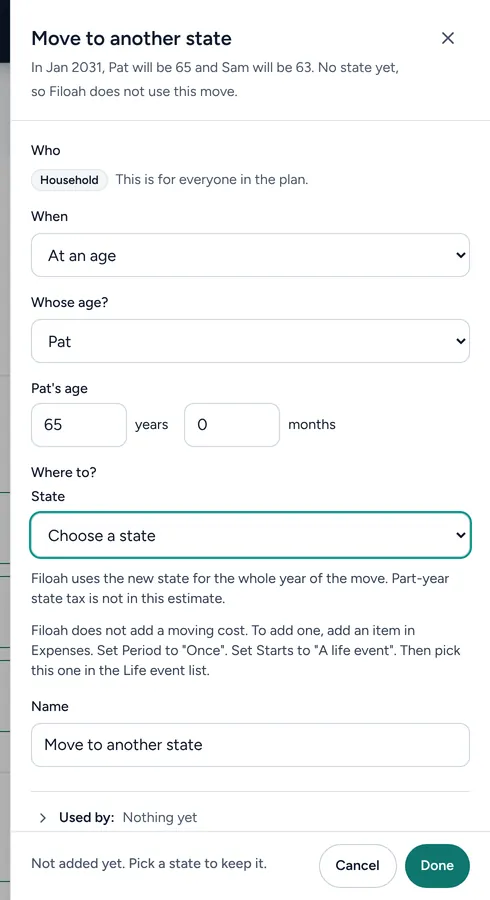
Good to know
- Filoah uses the new state for the whole year of the move. Part-year state tax is not in the estimate.
- Try the move in a what-if plan, so your first plan stays as it is.
- Read more: Moving states in retirement
Still stuck? Email support@filoah.com.