Read your plan
The top of each plan answers the big question first: how long your money lasts in this plan.
Updated November 21, 2026
- Step 1:
Open a plan from Plans. The top card says where the plan leads, then Money lasts, net worth and Lifetime taxes.
Sample plan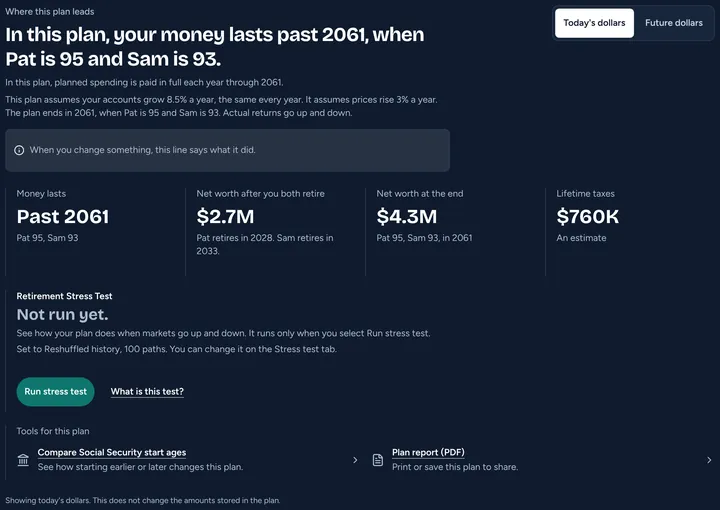
- Step 2:
Press Today's dollars to see amounts at today's prices, or Future dollars to see them with prices rising.
- Step 3:
Use the tabs to look closer: Overview, Cashflow, Net worth, Taxes and Years.
Sample plan
- Step 4:
Cashflow shows the money coming in and going out each year. Select a year on a bar to see its numbers beside the chart.
Sample plan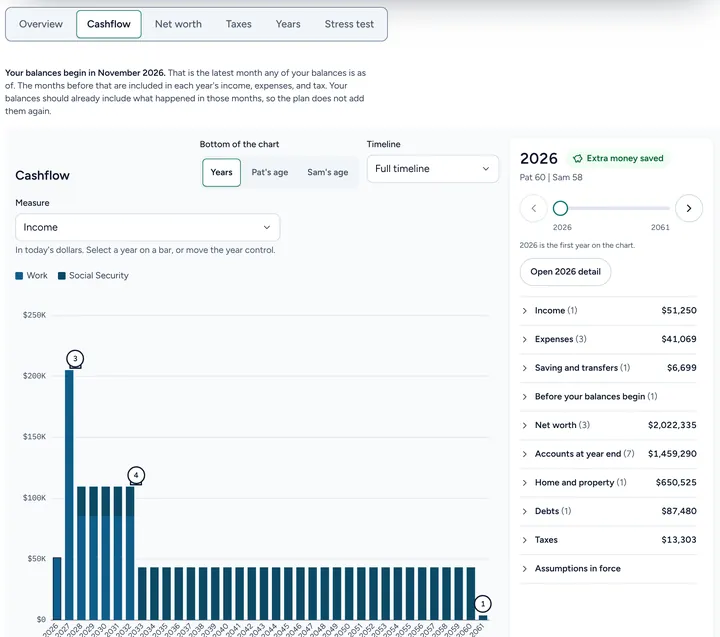
- Step 5:
Net worth shows what you own minus what you owe, year by year, split by kind of account.
Sample plan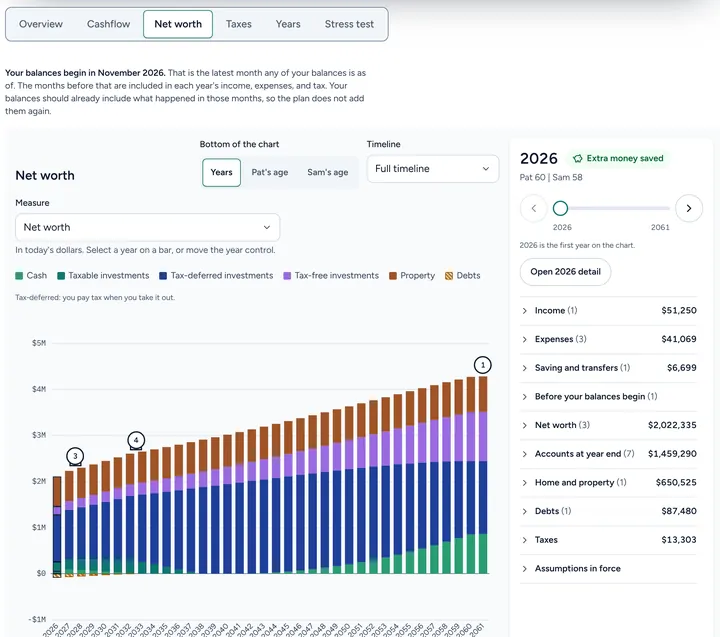
Good to know
- Results are estimates, not promises. The plan assumes the same return every year. Real returns go up and down.
- The Stress test tab shows how the plan does when markets go up and down. See Run the stress test on your plan.
- More about what a plan shows: When can I retire?
Still stuck? Email support@filoah.com.