Enter your Social Security benefit
Social Security is often the income that lasts longest. Enter it from your own Social Security Statement.
Updated November 21, 2026
- Step 1:
Open a plan. Under Edit this plan, open Income, press Add income and pick Social Security.
- Step 2:
Type the Amount your Social Security Statement shows for full retirement age, and pick Month.
- Step 3:
Check that Kind says Social Security, then pick the person under Whose income is this? and when it starts. Save it.
Sample plan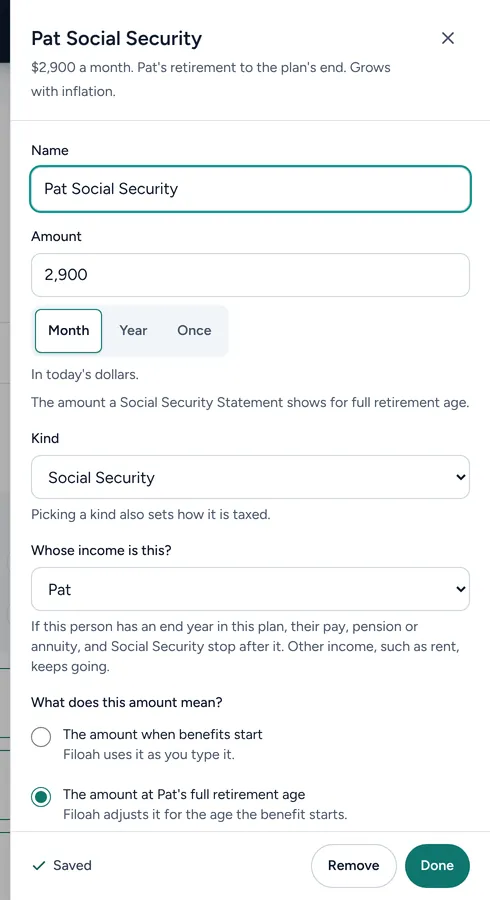
Good to know
- Type the amount in today's dollars. The plan grows it with inflation.
- If the benefit starts before full retirement age, the plan makes it smaller, because a benefit that starts sooner is smaller.
- Your Social Security Statement is at ssa.gov.
- Read more: When to claim Social Security
Still stuck? Email support@filoah.com.