Add a health care estimate
Health care is one of the biggest costs in retirement. The estimate adds it to your plan for each person.
Updated November 21, 2026
- Step 1:
Open a plan. Under Edit this plan, open Health care estimate.
Sample plan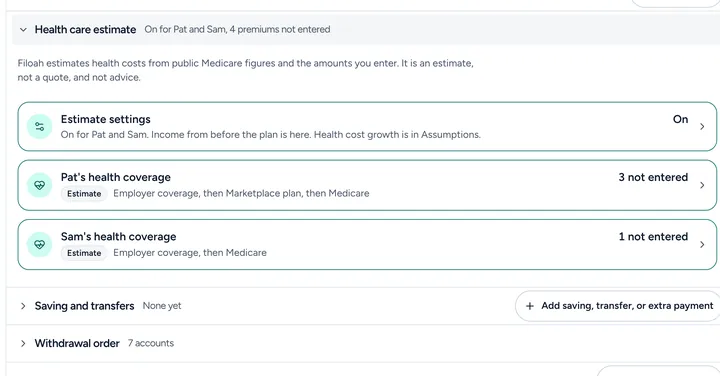
- Step 2:
Press Estimate settings and turn on Use the health care estimate in this plan.
- Step 3:
Open each person's health coverage row to set their coverage before Medicare. See Set coverage before 65.

Good to know
- Filoah estimates health costs from public Medicare figures and the amounts you enter. It is an estimate, not a quote, and not advice.
- The costs show in your expenses each year.
- Read more: Health care before 65
Still stuck? Email support@filoah.com.