Add pay, a pension and other income
Income lives in each plan, so one plan can stop work earlier than another.
Updated November 21, 2026
- Step 1:
Open a plan from Plans. Under Edit this plan, open Income and press Add income.
- Step 2:
Pick the kind: Job pay, Self-employment, Social Security, Pension, Rental income or Other.
Sample plan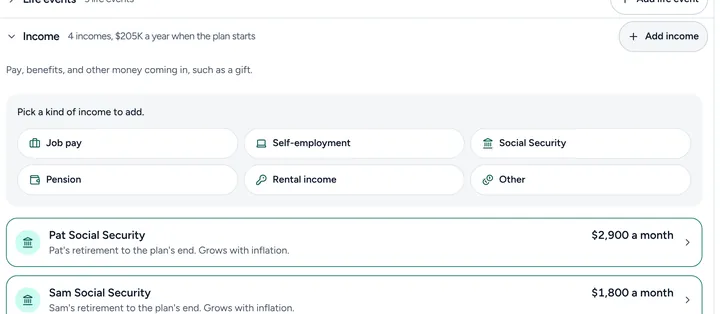
- Step 3:
Fill in the amount, whose income it is, and when it starts and ends. Then save it.
Good to know
- Type pay before tax. Filoah estimates the tax.
- Picking a kind also sets how that income is taxed.
- Each income shows as a row under Income. Open a row to change it.
Still stuck? Email support@filoah.com.