Add a 401(k), IRA or other account
Your plans start from the balances you type here. The account type tells Filoah how money in it is taxed.
Updated November 21, 2026
- Step 1:
Open Current Finances and pick Investments. Then press + Add investment. For a bank account, pick Savings and press + Add savings account.
Sample plan
- Step 2:
Type a Name, then pick the Type, such as 401(k), Traditional IRA, Roth IRA, Brokerage or HSA. More are under More types.
- Step 3:
Pick the Owner, type the Balance, and set As of to the month of that balance. For a brokerage account you can also type the Cost basis, what you paid for the investments. Press Save.
Sample plan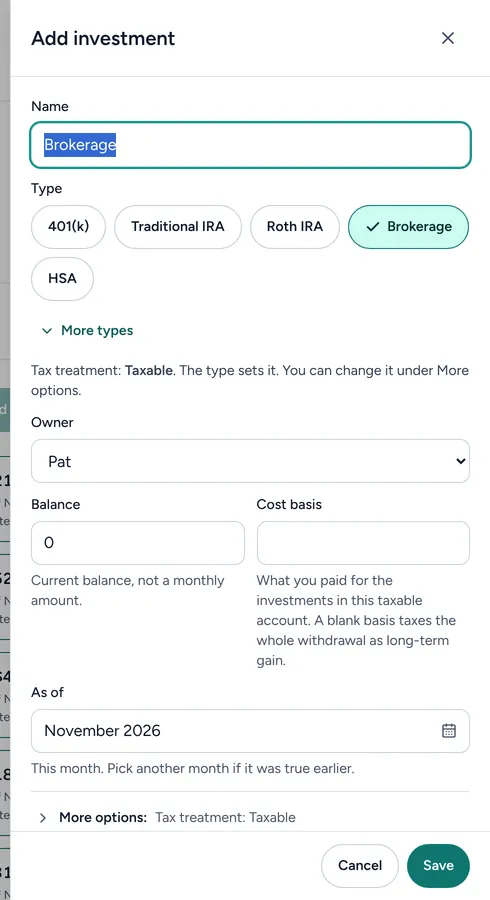
Good to know
- Type the balance you have today, not a monthly amount.
- Nothing is imported. You type each balance, and you can change it any time.
- Your plans read the balances here, so a change shows in each plan.
Still stuck? Email support@filoah.com.