Run the stress test on your plan
A plan assumes the same return every year. The stress test shows what happens when markets go up and down instead.
Updated November 21, 2026
- Step 1:
Open a plan. In the top card, find Retirement Stress Test and press Run stress test. Press What is this test? to read how it works first.
Sample plan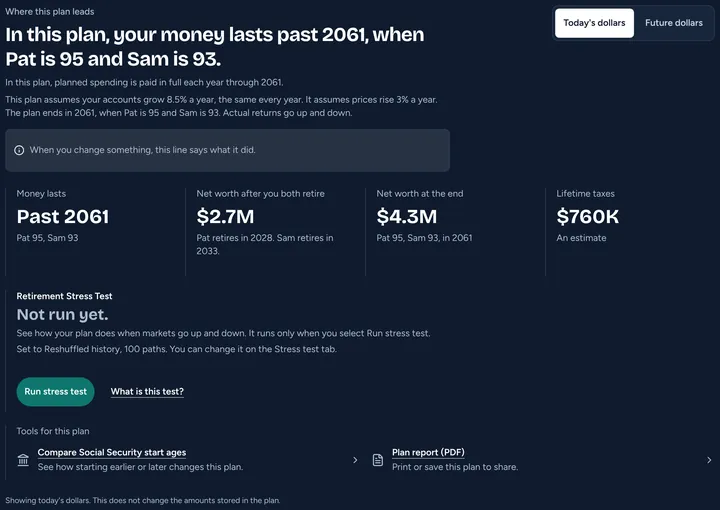
- Step 2:
With Plus, you can choose how it tests. Pick the Stress test tab. Under Method, pick Reshuffled history, Past markets or Monte Carlo, and pick How many paths. On Free, the test uses Reshuffled history.
- Step 3:
Press Run stress test. The result shows when the test is done.
Sample plan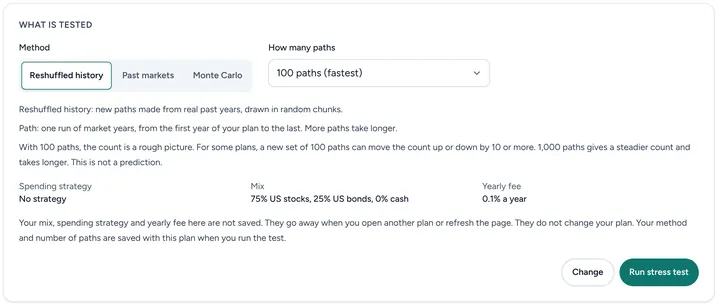
Good to know
- Results are estimates, not promises. Past returns do not tell us future returns.
- More paths give a steadier count but take longer.
- Your method and number of paths are saved with the plan when you run the test.
- Read more: The Retirement Stress Test
Still stuck? Email support@filoah.com.