Use the Years table
The Years table puts every year of your plan in one place, so you can scan it row by row.
Updated November 21, 2026
- Step 1:
Open a plan and pick the Years tab. Each row is one year, with the ages, what happened, net worth, income, expenses and what was left over.
Sample plan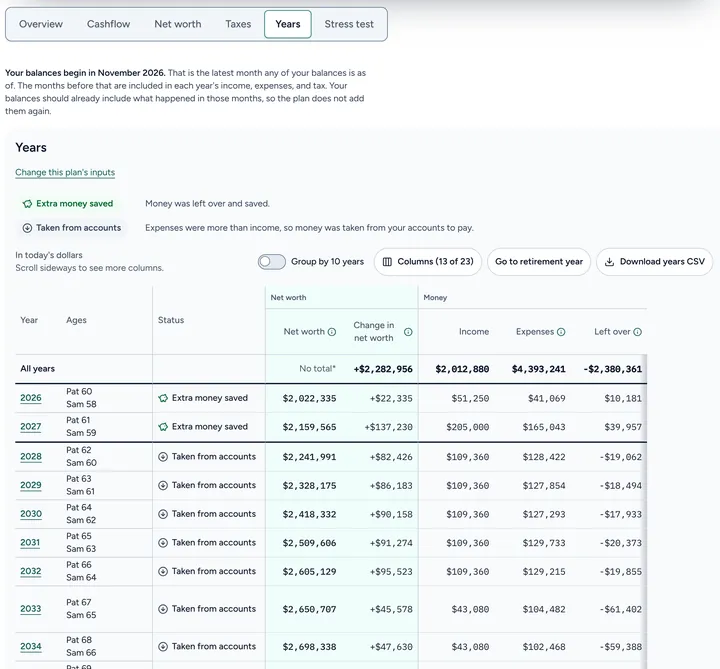
- Step 2:
Press Columns to pick which columns show.
- Step 3:
Turn on Group by 10 years to see one row for each 10 years. Press Go to retirement year to jump to the year work stops.
- Step 4:
Press Download years CSV to save the table as a file you can open in a spreadsheet.
Good to know
- On a small screen, scroll sideways to see more columns.
- Select a year in the Year column to open that year's page.
Still stuck? Email support@filoah.com.