See or turn off Filoah Chat memories
Filoah Chat can remember things from your messages, so it can use them when it answers you later.
Updated November 21, 2026
- Step 1:
Open Account settings. Under Your data, press Open Memories.
- Step 2:
The Memories page lists what Filoah Chat remembers. Change or delete any of them.
- Step 3:
Use the Memory switch to turn memory on or off.
Sample plan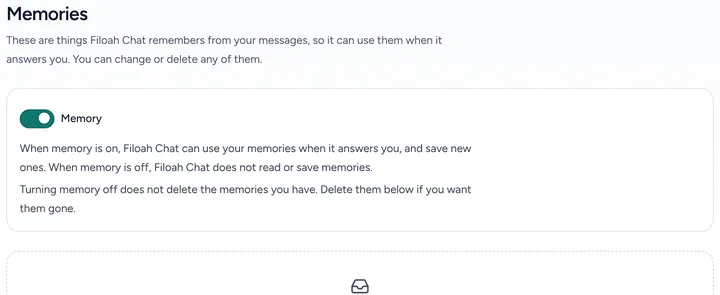

Good to know
- When memory is off, Filoah Chat does not read or save memories.
- Turning memory off does not delete the memories you have. Delete them on this page if you want them gone.
- Press Back to Account settings to go back.
Still stuck? Email support@filoah.com.