Add a statement in Filoah Chat
Instead of typing each number, you can give Filoah Chat a statement to read.
Updated November 21, 2026
- Step 1:
Open Filoah Chat with Ask Filoah, then press Add a file.
- Step 2:
Pick a PDF, a PNG or JPEG picture, a CSV file or a plain text file. It can be up to 4.5 MB, or 3.75 MB for a picture, and up to 30 pages.
Sample plan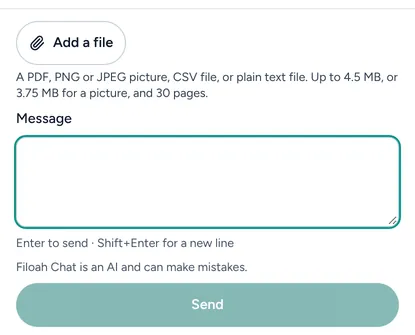
- Step 3:
Type what you want it to do in Message, such as add these balances, and press Send. Check what it suggests before you apply it.
Good to know
- Files you kept are listed in Account settings, under Your data. Press Open Your files to see them or delete one.
- How files are stored and who can read them is in the Privacy Policy, section 2.3.
Still stuck? Email support@filoah.com.