Enter who is in your plan and where you live
Ages, filing status and state drive the timeline and the tax estimate in every plan.
Updated November 21, 2026
- Step 1:
Open Current Finances. On the Household card, press Edit.
- Step 2:
Pick a Planning mode: just you, or you as a couple. Then type each person's Name, Birth month and Birth year.
Sample plan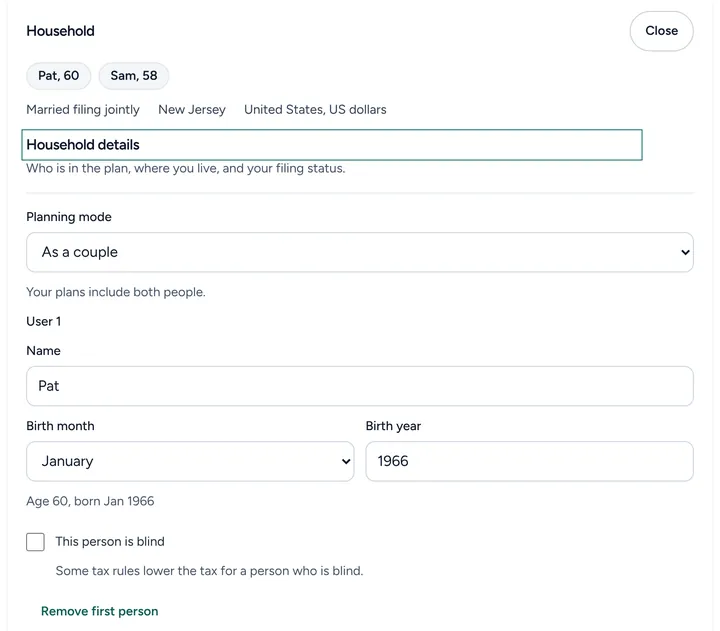
- Step 3:
Pick your Filing status, then your State and, where your state has one, your Locality. Press Save.
Sample plan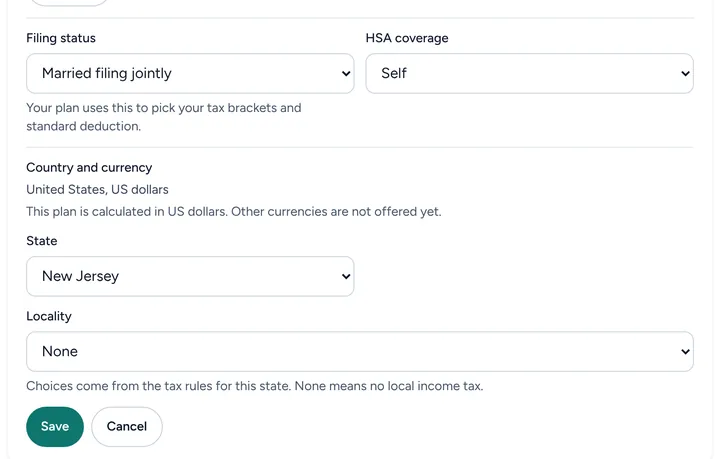

Good to know
- Your plans read these facts from Current Finances, so a change here shows in each plan.
- This person is blind is there because some tax rules lower the tax for a person who is blind. If you tick it, Filoah asks for your consent in a separate step before it keeps it.
- Planning a move? Add it to a plan as a life event instead of changing your state here.
Still stuck? Email support@filoah.com.