Download or delete your data
You can keep a copy of your numbers, start over, or delete your account at any time.
Updated November 21, 2026
- Step 1:
To keep a copy of a plan's numbers first, press Download years CSV on the plan's Years tab.
- Step 2:
Open Account settings and go to Your data.
Sample plan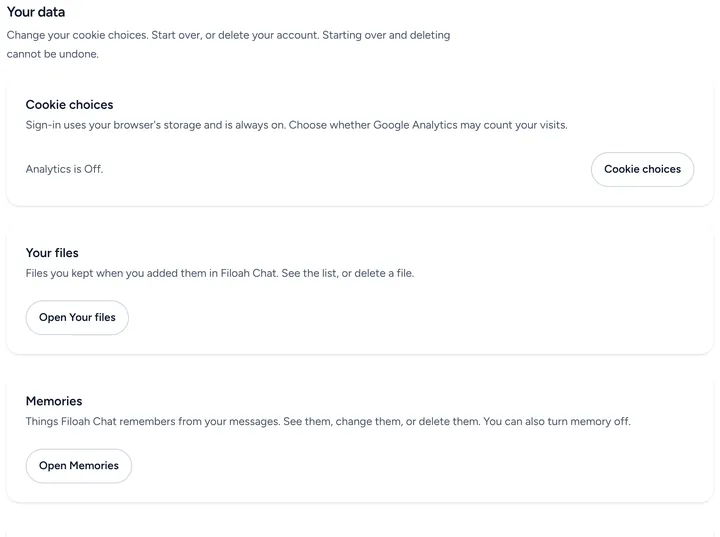
- Step 3:
To start over, use Reset account. It keeps your sign-in and removes your plans, Current Finances, chat history and the other data that Privacy Policy section 6 lists. Some records stay, such as your agreement and billing records. Type RESET in Type RESET to confirm, then press Reset account permanently.
- Step 4:
To leave, use Delete account. It deletes your sign-in, your plans and your other data. A few records stay for a set time, such as billing records and support email. Section 6 of the Privacy Policy lists them. Type DELETE in Type DELETE to confirm, then press Delete account permanently.
Sample plan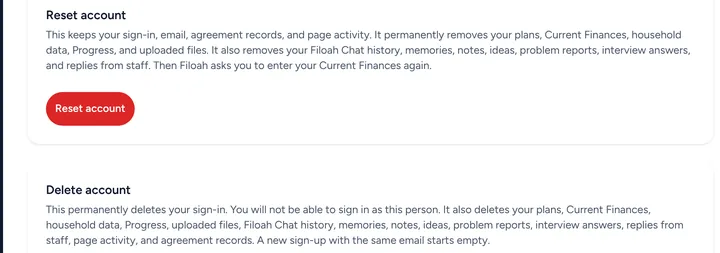


Good to know
- Reset and delete cannot be undone.
- You can also ask us to delete your account by email at support@filoah.com. See Privacy Policy section 8.1.
- If you have Plus, deleting your account stops it from renewing. See the Terms of Service, section 9.
Still stuck? Email support@filoah.com.